01
Start here: two ways your watch can work.
Your watch either records a workout live with Run and Gets, or sends a completed workout through your phone's health store.
| Path | What happens | Supported watches |
|---|---|---|
| Active | Record in the Run and Gets watch app. The phone and watch work together while you exercise. | Apple Watch on iPhone; Wear OS on Android. |
| Passive | Record in your watch's usual app, then let its companion app share the completed workout to Apple Health or Health Connect for import. | Garmin, Xiaomi/Amazfit, and Fitbit on Android. |
02
Which watches are supported?
| Watch | Phone | Connection |
|---|---|---|
| Apple Watch | iPhone | Active: the Run and Gets Apple Watch app. |
| Wear OS (including Pixel Watch) | Android | Active: the Run and Gets Wear OS app. |
| Garmin | iPhone or Android | Passive: Garmin Connect → Apple Health or Health Connect. |
| Xiaomi and Amazfit | iPhone or Android | Passive: Mi Fitness, Zepp, or Zepp Life → Apple Health or Health Connect. |
| Fitbit | Android | Passive: Fitbit → Health Connect. |
03
Apple Health and Health Connect are the bridge.
Apple Health on iPhone and Health Connect on Android collect workout data from compatible companion apps. Run and Gets reads the workout, heart-rate and route data you allow, so it can import a completed passive workout.
For a passive watch, make sure its companion app is allowed to write the workout and heart rate to the health store, then allow Run and Gets to read the requested workout, heart-rate and route data.
04
Active sync: Apple Watch and Wear OS.
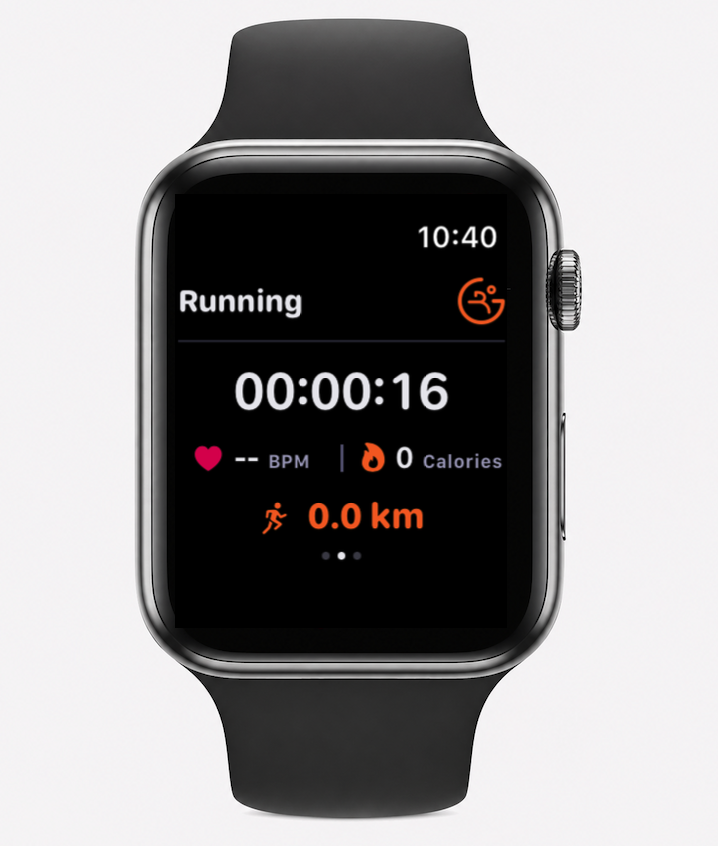
Active sync is the live route. The Run and Gets watch app records the workout while you exercise and can provide live metrics such as heart rate to the phone.
- In Run and Gets on your phone, choose Apple Watch or Wear OS in your connected-device settings.
- Install the Run and Gets app on the watch. On Apple Watch, use the iPhone Watch app; on Wear OS, install it from Play Store on the watch.
- Open the app on both devices with the watch nearby and grant the requested health access.
- Start the workout in the Run and Gets watch app. If the watch is temporarily unreachable, bring it near the phone and retry; eligible phone tracking is the fallback for supported activities.
05
Samsung Health steps are missing on Android.
Run and Gets can only read Samsung Health steps after Samsung Health writes them into Health Connect. Permission to read is not proof that step records have arrived.
- Open Samsung Health and confirm that today's step count is current. If you use a Galaxy Watch, first let the watch finish syncing with Samsung Health on the phone.
- In Samsung Health, open Settings → Health Connect. Confirm Samsung Health is connected and allowed to write Steps. Health Connect menu names vary by Android version; you can also open Health Connect → App permissions → Samsung Health and check its write access there.
- In Health Connect, open App permissions → Run and Gets and confirm that reading Steps is allowed.
- Walk some new steps, reopen Samsung Health, and then check Health Connect → Recent access. Look for Samsung Health writing Steps and Run and Gets reading Steps. Merely seeing Samsung Health listed under Activity or Data sources does not prove it has written any records.
- If Samsung Health does not appear in Recent access after the step count changes, update Samsung Health, update Health Connect or the Google Play system, restart the phone, and retry from Samsung Health. If Samsung writes Steps but Run and Gets still shows zero, reopen Run and Gets and use Sync Now before contacting support.
If the check above shows Samsung Health is not writing Steps, this is a known Samsung Health bug reported by many Samsung users across different phone models — not specific to Run and Gets. Samsung Health can show the Steps write permission as granted while simply never sending the data. Try these fixes, in order:
- In Samsung Health, open Settings, scroll down, and turn on "Consent to the processing of health and wellness data" if it is off. Restart the phone afterward.
- Open phone Settings → Apps → Samsung Health → Battery, and set it to Unrestricted so Android does not stop Samsung Health from syncing to Health Connect in the background.
- In Health Connect → App permissions → Samsung Health, turn the Steps write permission off, then back on, and restart the phone.
- If another app (Fitbit, Google Fit, or similar) also writes Steps to Health Connect, open Health Connect → Data and access → Activity → Steps → Data sources & priority, and move Samsung Health to the top.
06
Passive sync: Garmin, Xiaomi/Amazfit and Fitbit.
The path is watch → companion app → Apple Health or Health Connect → Run and Gets. Complete the setup before the first workout you want imported.
- Pair the watch or band with its normal companion app and confirm it has synced the workout there.
- In Garmin Connect, Mi Fitness, Zepp or Zepp Life, find connected apps, third-party sharing or account linking, then connect Apple Health on iPhone or Health Connect on Android. Fitbit uses Health Connect on Android.
- In the health store, allow the companion app to write workout and heart-rate data. Allow Run and Gets to read workout, heart-rate and route data when asked.
- Record and finish a workout on the watch. Refresh the companion app if necessary, then check that the workout appears in Apple Health or Health Connect with the companion as its source.
- Return to Run and Gets and tap Sync Now if it has not imported automatically. The first sync can take a few minutes.
07
What is different between active and passive sync?
| Active | Passive | |
|---|---|---|
| When data arrives | During the workout | After the companion and health store finish syncing |
| Where to start | Run and Gets on the watch | Your watch or band's companion app |
| Heart rate | Live when available | Imported when the companion app shares it |
| Route | Captured by the active workout path when available | Depends on what the health store receives from the companion app |
| Older workouts | Not a backfill route | Only eligible post-connection workouts within the seven-day import window |
08
Known gaps and limitations.
A passive workout can include a summary and heart-rate data but still arrive without route data. When Run and Gets cannot correlate a passive workout with GPS evidence, the app cannot verify it and asks you to start phone GPS tracking next time.
This is especially important for Garmin and other passive sources where the companion-to-health-store route can omit the GPS route. Without route data, map display, route verification and route-based exercise-area matching are unavailable for that workout.
09
My workout did not import.
- Confirm the workout finished in the watch's companion app, then refresh that app manually while the watch is connected.
- Open Apple Health or Health Connect and confirm the workout appears there with Garmin Connect, Mi Fitness, Zepp, Zepp Life or Fitbit as its source.
- Check both sides of the permission: the companion must be able to write workout data, and Run and Gets must be able to read the requested workout, heart-rate and route data.
- Unlock the phone, reopen Run and Gets, and tap Sync Now. A locked phone, unavailable health store, revoked access or an unsaved workout can prevent the import.
- Make sure the workout was recorded after you connected the device and is no more than seven days old. If it appears in the health store but still does not import, contact support with the workout date, phone platform, watch model and companion app used.